

When we work with large volumes of customer invoices and payments, manually applying entries in Business Central can be slow and error‑prone. To solve this, We have built a small “knocking‑off” framework that reads data from an Excel‑based uploader and automatically applies posted sales invoices against posted customer payments.
In this blog, we will walk through the idea behind the solution and then break down the AL code of the button that performs the knock‑off, line by line, so that even a beginner can follow and use the pattern.
Step – 1. First create a Table and List Page for Excel uploader
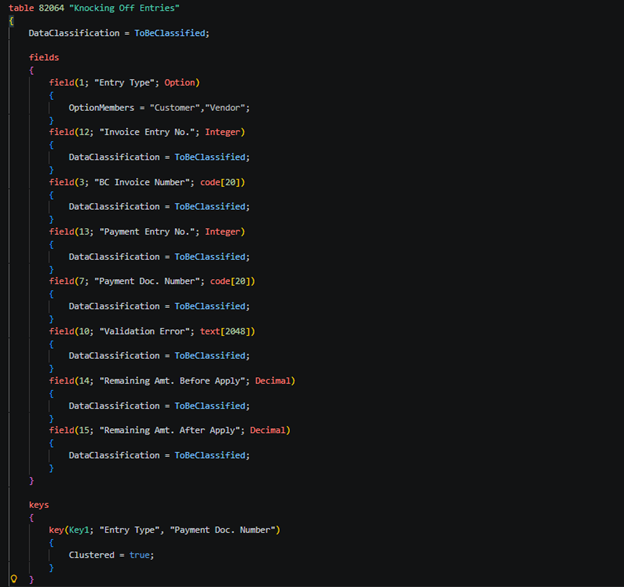
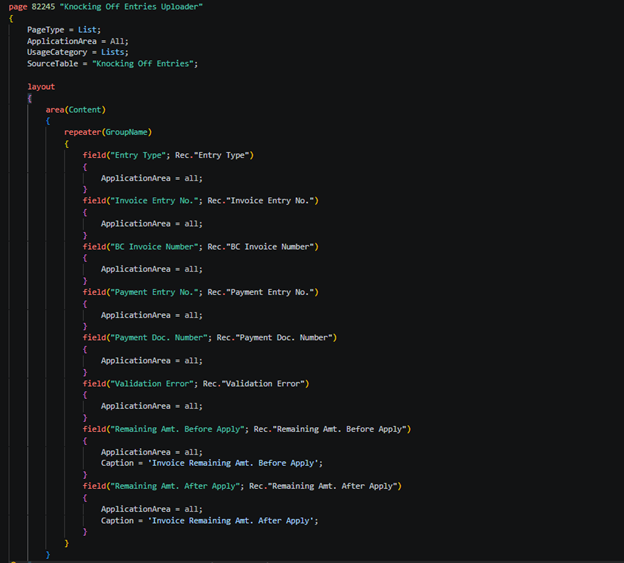
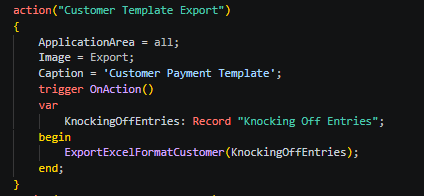
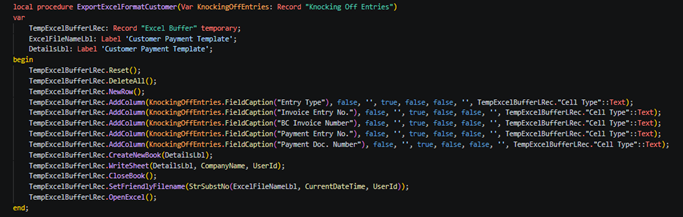
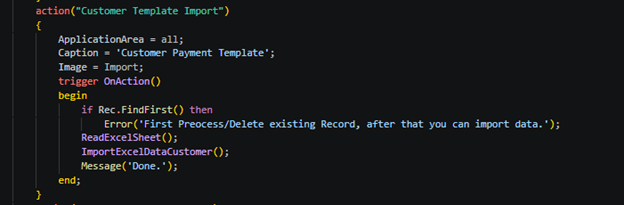
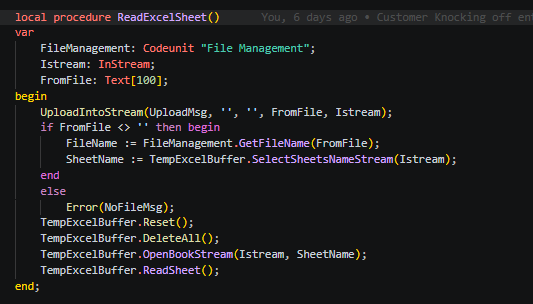
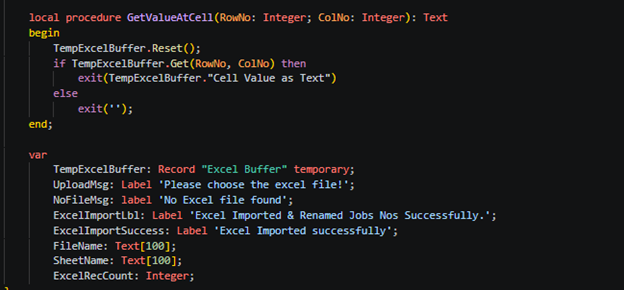
Step – 2. Now create two action buttons for Export and Import uploader entries
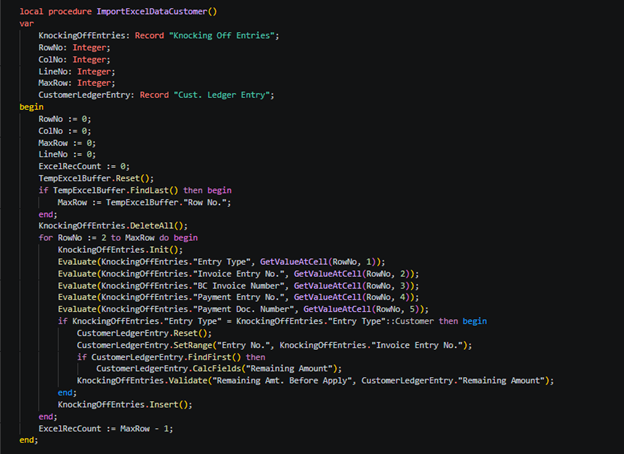
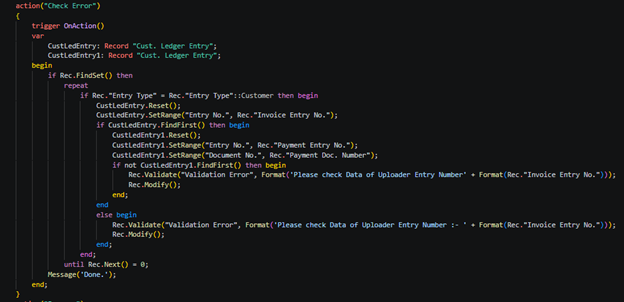
Step – 3. Now create action button to cross verify records of uploaders by customer ledger entry table –
Step – 4. Now process of uploader records if no error is found –
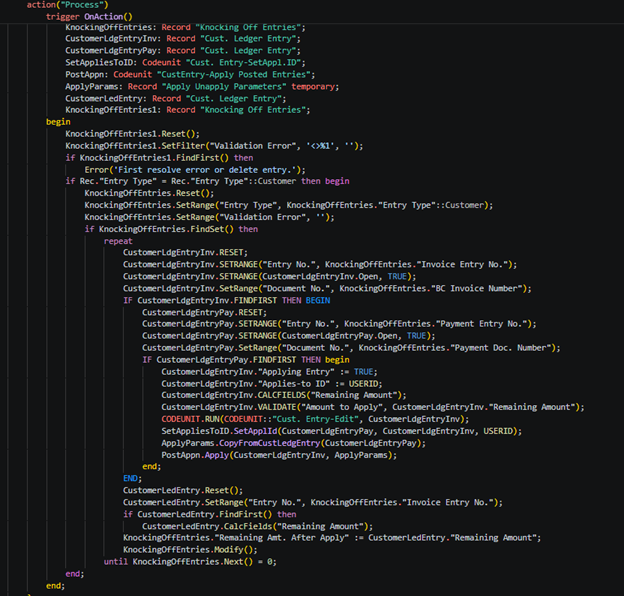
Now you can check your records – remaining balances of invoices.
To get more such useful information, please follow our LinkedIn page and you can also subscribe our you tube page. (Navigate with footer icons)
dh
mhhkhk
hfhf
asdada
asdasd
Hii Business central User .