
Can We Delete Posted Documents in Business Central?
Yes, we can delete these documents by customization. In Microsoft Dynamics 365 Business Central, posted documents and ledger entries are normally protected and cannot be deleted directly. This behavior is intentional, as Business Central is designed to preserve financial accuracy, audit integrity, and historical transaction data. However, in some business scenarios, organizations may need a controlled way to remove specific posted records through customization.
In this blog, we are discussing a practical requirement where the system needs to delete records from multiple posted and ledger tables, such as G/L Entry, Posted G/L Entry, Posted Sales Invoice, Posted Sales Shipment, Posted Purchase Invoice, Posted Purchase Receipt, Posted Transfer Shipment, and Posted Transfer Receipt. To handle this requirement, we create a setup table with a Deletion Date field. When a user enters a date in this field, the system applies a filter on the related tables and deletes all records up to that selected date.
This approach gives us a controlled and structured way to manage deletion through AL customization, instead of deleting records manually one by one. It also helps developers understand how to build a reusable setup-based solution that can be extended for different posted tables and business rules. We will first design the Codeunit, and once it is ready, we will assign the appropriate permissions to ensure it functions correctly within the system.
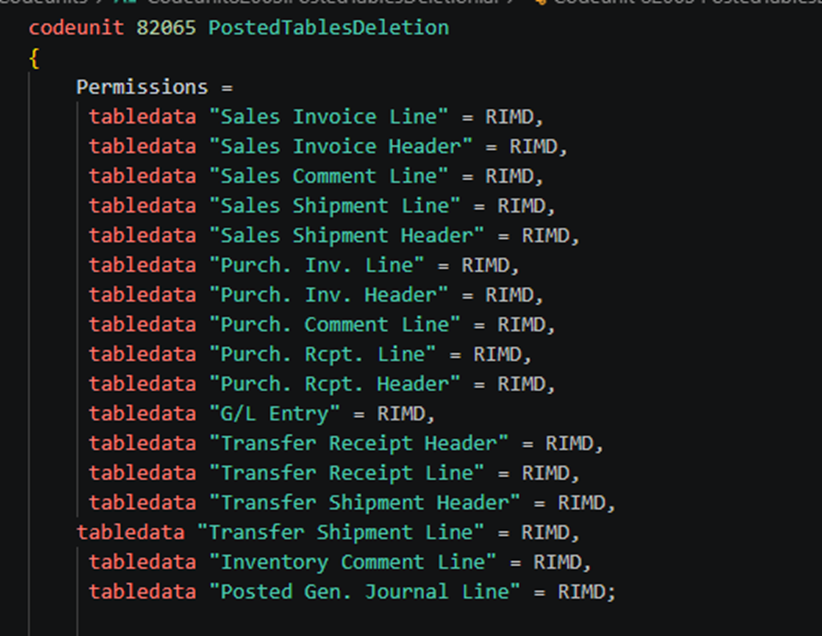
Permissions =
     tabledata "Sales Invoice Line" = RIMD,
     tabledata "Sales Invoice Header" = RIMD,
     tabledata "Sales Comment Line" = RIMD,
     tabledata "Sales Shipment Line" = RIMD,
     tabledata "Sales Shipment Header" = RIMD,
     tabledata "Purch. Inv. Line" = RIMD,
     tabledata "Purch. Inv. Header" = RIMD,
     tabledata "Purch. Comment Line" = RIMD,
     tabledata "Purch. Rcpt. Line" = RIMD,
     tabledata "Purch. Rcpt. Header" = RIMD,
     tabledata "G/L Entry" = RIMD,
     tabledata "Transfer Receipt Header" = RIMD,
     tabledata "Transfer Receipt Line" = RIMD,
     tabledata "Transfer Shipment Header" = RIMD,
    tabledata "Transfer Shipment Line" = RIMD,
     tabledata "Inventory Comment Line" = RIMD,
     tabledata "Posted Gen. Journal Line" = RIMD;
Below are the procedures which we used to delete records in codeunit.
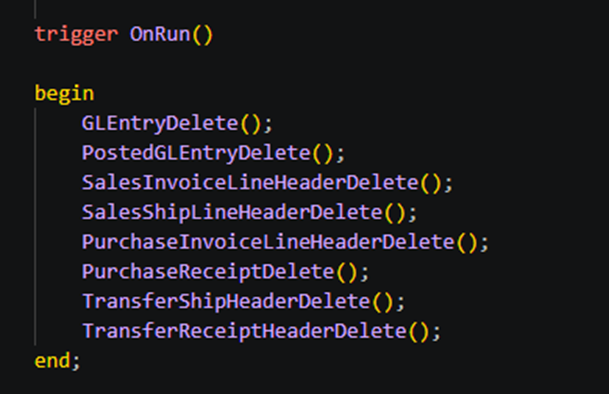
trigger OnRun()

    begin
        GLEntryDelete();
        PostedGLEntryDelete();
        SalesInvoiceLineHeaderDelete();
        SalesShipLineHeaderDelete();
        PurchaseInvoiceLineHeaderDelete();
        PurchaseReceiptDelete();
        TransferShipHeaderDelete();
        TransferReceiptHeaderDelete();
    end;
For G/L Entry Table records deletion –
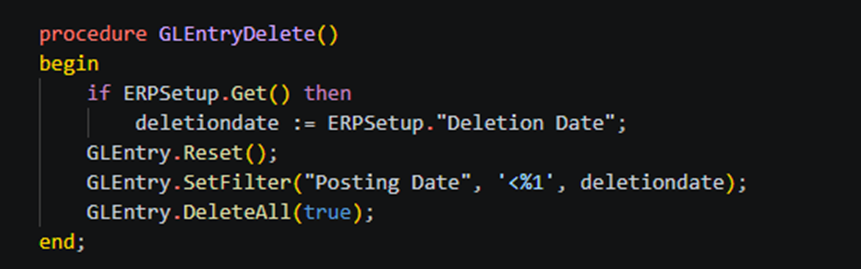
procedure GLEntryDelete()
    begin
        if ERPSetup.Get() then
            deletiondate := ERPSetup."Deletion Date";
        GLEntry.Reset();
        GLEntry.SetFilter("Posting Date", '<%1', deletiondate);
        GLEntry.DeleteAll(true);
    end;
For Deletion of records of Posted G/L entry table.
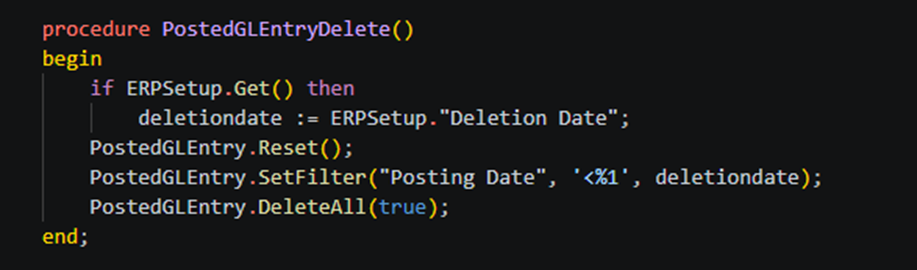
procedure PostedGLEntryDelete()
    begin
        if ERPSetup.Get() then
            deletiondate := ERPSetup."Deletion Date";
        PostedGLEntry.Reset();
        PostedGLEntry.SetFilter("Posting Date", '<%1', deletiondate);
        PostedGLEntry.DeleteAll(true);
    end
For deletion of Posted Sales Invoices table records.
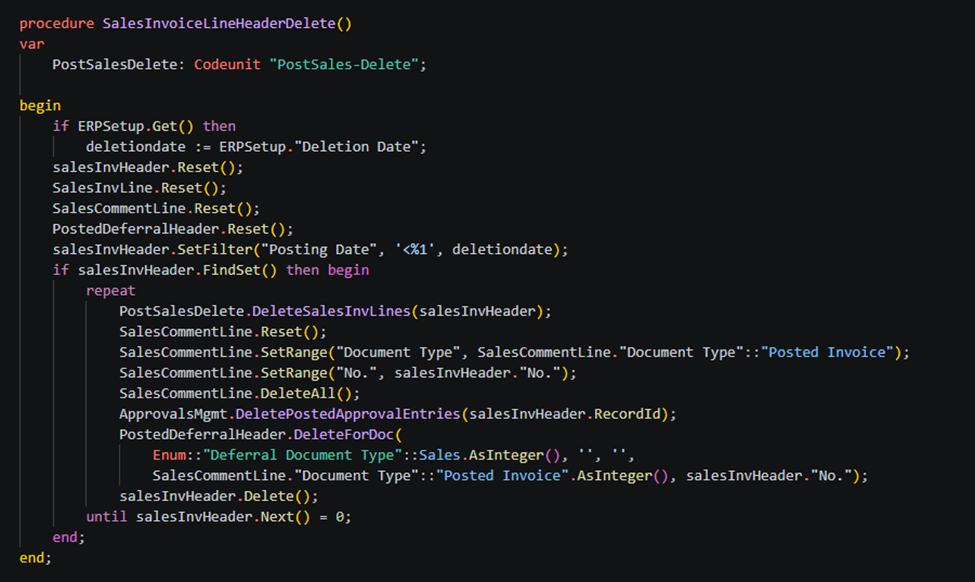
procedure SalesInvoiceLineHeaderDelete()
    var
        PostSalesDelete: Codeunit "PostSales-Delete";

    begin
        if ERPSetup.Get() then
            deletiondate := ERPSetup."Deletion Date";
        salesInvHeader.Reset();
        SalesInvLine.Reset();
        SalesCommentLine.Reset();
        PostedDeferralHeader.Reset();
        salesInvHeader.SetFilter("Posting Date", '<%1', deletiondate);
        if salesInvHeader.FindSet() then begin
            repeat
                PostSalesDelete.DeleteSalesInvLines(salesInvHeader);
                SalesCommentLine.Reset();
                SalesCommentLine.SetRange("Document Type", SalesCommentLine."Document Type"::"Posted Invoice");
                SalesCommentLine.SetRange("No.", salesInvHeader."No.");
                SalesCommentLine.DeleteAll();
                ApprovalsMgmt.DeletePostedApprovalEntries(salesInvHeader.RecordId);
                PostedDeferralHeader.DeleteForDoc(
                    Enum::"Deferral Document Type"::Sales.AsInteger(), '', '',
                    SalesCommentLine."Document Type"::"Posted Invoice".AsInteger(), salesInvHeader."No.");
                salesInvHeader.Delete();
            until salesInvHeader.Next() = 0;
        end;
    end;
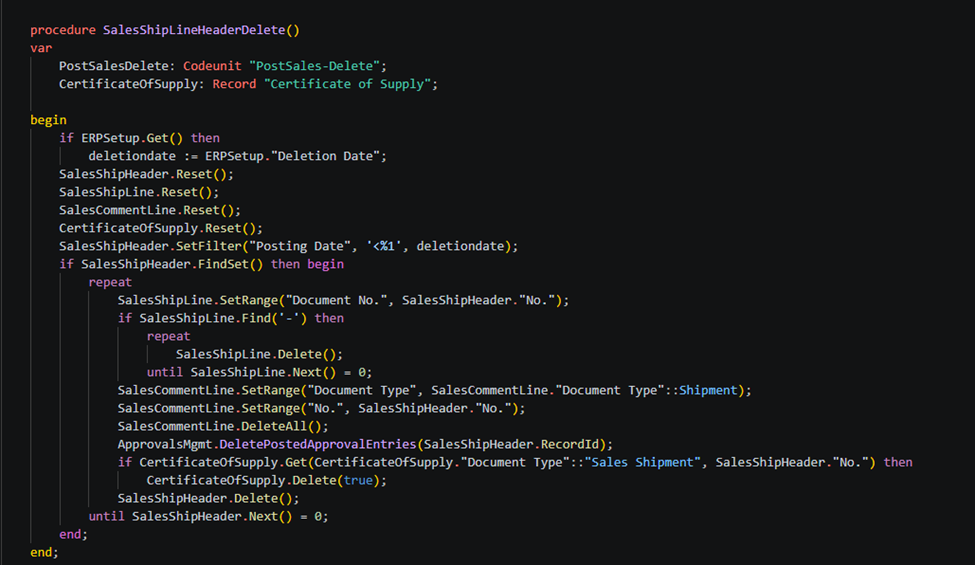
For deletion of Posted Sales Shipment table records.
procedure SalesShipLineHeaderDelete()
    var
        PostSalesDelete: Codeunit "PostSales-Delete";
        CertificateOfSupply: Record "Certificate of Supply";

    begin
        if ERPSetup.Get() then
            deletiondate := ERPSetup."Deletion Date";
        SalesShipHeader.Reset();
        SalesShipLine.Reset();
        SalesCommentLine.Reset();
        CertificateOfSupply.Reset();
        SalesShipHeader.SetFilter("Posting Date", '<%1', deletiondate);
        if SalesShipHeader.FindSet() then begin
            repeat
                SalesShipLine.SetRange("Document No.", SalesShipHeader."No.");
                if SalesShipLine.Find('-') then
                    repeat
                        SalesShipLine.Delete();
                    until SalesShipLine.Next() = 0;
                SalesCommentLine.SetRange("Document Type", SalesCommentLine."Document Type"::Shipment);
                SalesCommentLine.SetRange("No.", SalesShipHeader."No.");
                SalesCommentLine.DeleteAll();
                ApprovalsMgmt.DeletePostedApprovalEntries(SalesShipHeader.RecordId);
                if CertificateOfSupply.Get(CertificateOfSupply."Document Type"::"Sales Shipment", SalesShipHeader."No.") then
                    CertificateOfSupply.Delete(true);
                SalesShipHeader.Delete();
            until SalesShipHeader.Next() = 0;
        end;
    end;
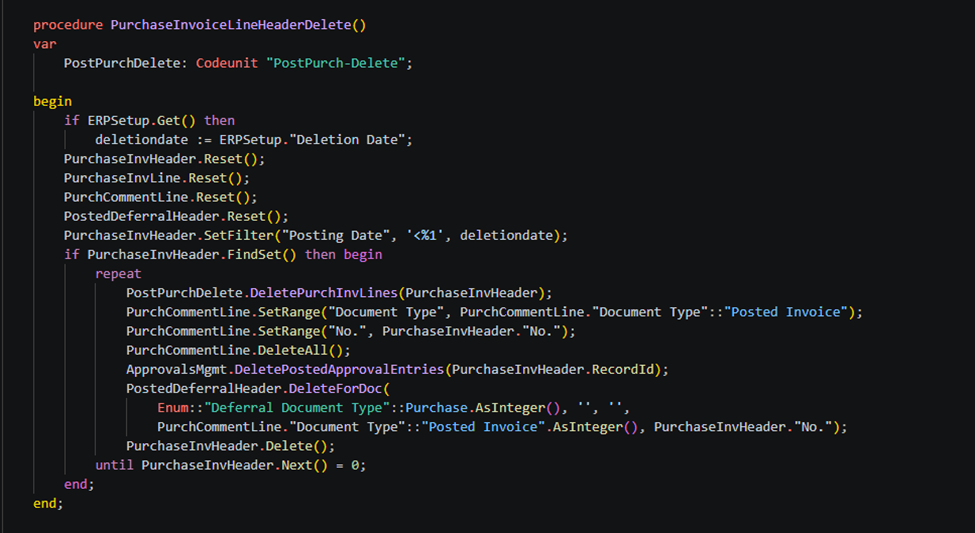
For deletion of Posted Purchase Invoice table records.
procedure PurchaseInvoiceLineHeaderDelete()
    var
        PostPurchDelete: Codeunit "PostPurch-Delete";

    begin
        if ERPSetup.Get() then
            deletiondate := ERPSetup."Deletion Date";
        PurchaseInvHeader.Reset();
        PurchaseInvLine.Reset();
        PurchCommentLine.Reset();
        PostedDeferralHeader.Reset();
        PurchaseInvHeader.SetFilter("Posting Date", '<%1', deletiondate);
        if PurchaseInvHeader.FindSet() then begin
            repeat
                PostPurchDelete.DeletePurchInvLines(PurchaseInvHeader);
                PurchCommentLine.SetRange("Document Type", PurchCommentLine."Document Type"::"Posted Invoice");
                PurchCommentLine.SetRange("No.", PurchaseInvHeader."No.");
                PurchCommentLine.DeleteAll();
                ApprovalsMgmt.DeletePostedApprovalEntries(PurchaseInvHeader.RecordId);
                PostedDeferralHeader.DeleteForDoc(
                    Enum::"Deferral Document Type"::Purchase.AsInteger(), '', '',
                    PurchCommentLine."Document Type"::"Posted Invoice".AsInteger(), PurchaseInvHeader."No.");
                PurchaseInvHeader.Delete();
            until PurchaseInvHeader.Next() = 0;
        end;
    end;
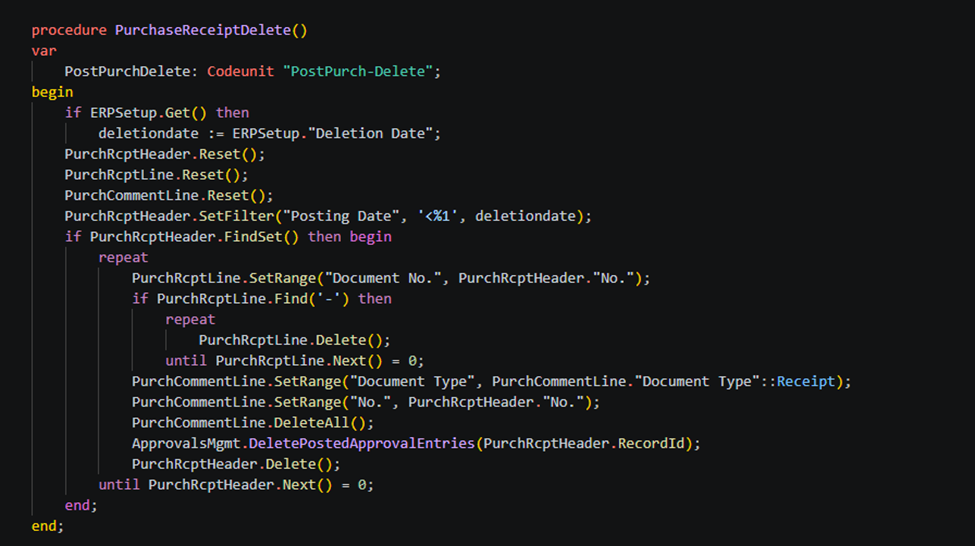
For deletion of Posted Purchase Receipt table records.
procedure PurchaseReceiptDelete()
    var
        PostPurchDelete: Codeunit "PostPurch-Delete";
    begin
        if ERPSetup.Get() then
            deletiondate := ERPSetup."Deletion Date";
        PurchRcptHeader.Reset();
        PurchRcptLine.Reset();
        PurchCommentLine.Reset();
        PurchRcptHeader.SetFilter("Posting Date", '<%1', deletiondate);
        if PurchRcptHeader.FindSet() then begin
            repeat
                PurchRcptLine.SetRange("Document No.", PurchRcptHeader."No.");
                if PurchRcptLine.Find('-') then
                    repeat
                        PurchRcptLine.Delete();
                    until PurchRcptLine.Next() = 0;
                PurchCommentLine.SetRange("Document Type", PurchCommentLine."Document Type"::Receipt);
                PurchCommentLine.SetRange("No.", PurchRcptHeader."No.");
                PurchCommentLine.DeleteAll();
                ApprovalsMgmt.DeletePostedApprovalEntries(PurchRcptHeader.RecordId);
                PurchRcptHeader.Delete();
            until PurchRcptHeader.Next() = 0;
        end;
    end;
For deletion of Posted Transfer Shipment table records –
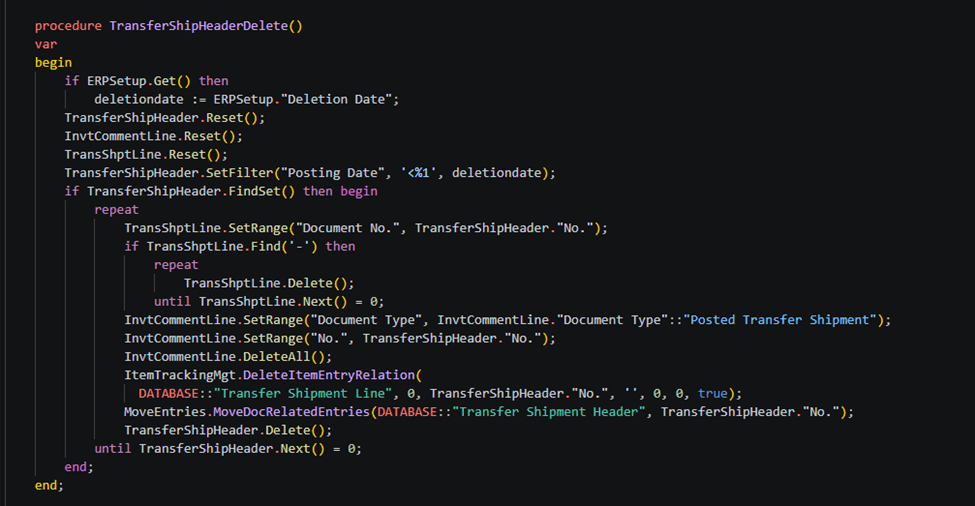
procedure TransferShipHeaderDelete()
    var
    begin
        if ERPSetup.Get() then
            deletiondate := ERPSetup."Deletion Date";
        TransferShipHeader.Reset();
        InvtCommentLine.Reset();
        TransShptLine.Reset();
        TransferShipHeader.SetFilter("Posting Date", '<%1', deletiondate);
        if TransferShipHeader.FindSet() then begin
            repeat
                TransShptLine.SetRange("Document No.", TransferShipHeader."No.");
                if TransShptLine.Find('-') then
                    repeat
                        TransShptLine.Delete();
                    until TransShptLine.Next() = 0;
                InvtCommentLine.SetRange("Document Type", InvtCommentLine."Document Type"::"Posted Transfer Shipment");
                InvtCommentLine.SetRange("No.", TransferShipHeader."No.");
                InvtCommentLine.DeleteAll();
                ItemTrackingMgt.DeleteItemEntryRelation(
                  DATABASE::"Transfer Shipment Line", 0, TransferShipHeader."No.", '', 0, 0, true);
                MoveEntries.MoveDocRelatedEntries(DATABASE::"Transfer Shipment Header", TransferShipHeader."No.");
                TransferShipHeader.Delete();
            until TransferShipHeader.Next() = 0;
        end;
    end;
For deletion of posted transfer receipt table records.
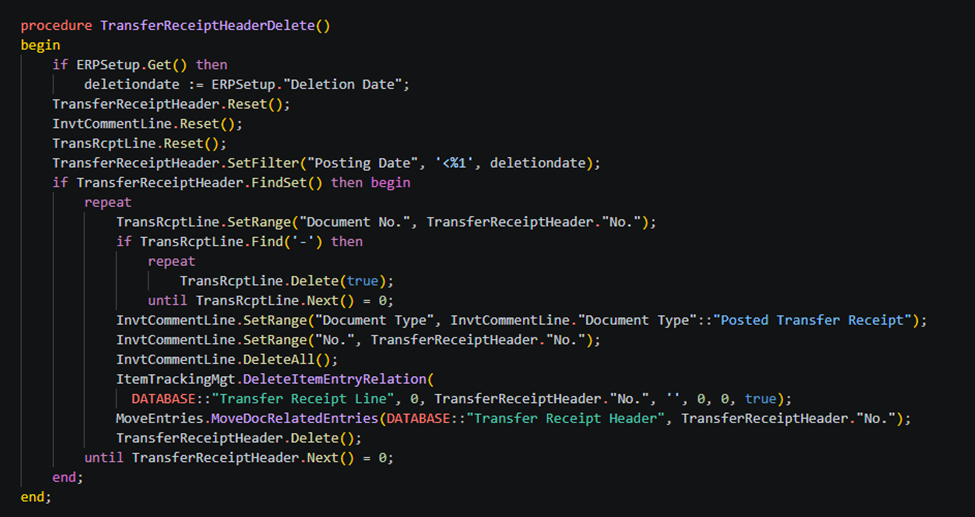
procedure TransferReceiptHeaderDelete()
    begin
        if ERPSetup.Get() then
            deletiondate := ERPSetup."Deletion Date";
        TransferReceiptHeader.Reset();
        InvtCommentLine.Reset();
        TransRcptLine.Reset();
        TransferReceiptHeader.SetFilter("Posting Date", '<%1', deletiondate);
        if TransferReceiptHeader.FindSet() then begin
            repeat
                TransRcptLine.SetRange("Document No.", TransferReceiptHeader."No.");
                if TransRcptLine.Find('-') then
                    repeat
                        TransRcptLine.Delete(true);
                    until TransRcptLine.Next() = 0;
                InvtCommentLine.SetRange("Document Type", InvtCommentLine."Document Type"::"Posted Transfer Receipt");
                InvtCommentLine.SetRange("No.", TransferReceiptHeader."No.");
                InvtCommentLine.DeleteAll();
                ItemTrackingMgt.DeleteItemEntryRelation(
                  DATABASE::"Transfer Receipt Line", 0, TransferReceiptHeader."No.", '', 0, 0, true);
                MoveEntries.MoveDocRelatedEntries(DATABASE::"Transfer Receipt Header", TransferReceiptHeader."No.");
                TransferReceiptHeader.Delete();
            until TransferReceiptHeader.Next() = 0;
        end;
    end;
Global variable used in all above code –
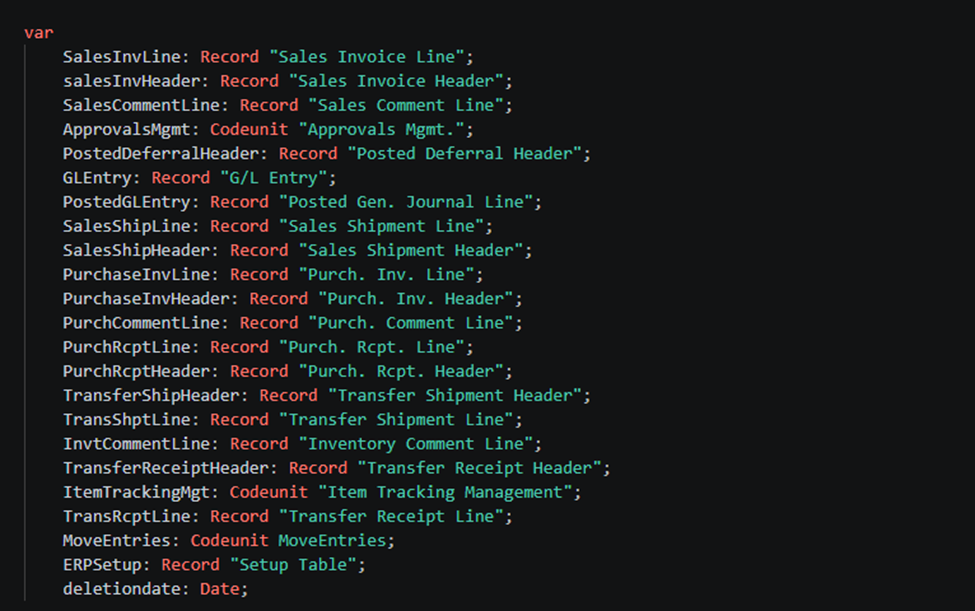
var
        SalesInvLine: Record "Sales Invoice Line";
        salesInvHeader: Record "Sales Invoice Header";
        SalesCommentLine: Record "Sales Comment Line";
        ApprovalsMgmt: Codeunit "Approvals Mgmt.";
        PostedDeferralHeader: Record "Posted Deferral Header";
        GLEntry: Record "G/L Entry";
        PostedGLEntry: Record "Posted Gen. Journal Line";
        SalesShipLine: Record "Sales Shipment Line";
        SalesShipHeader: Record "Sales Shipment Header";
        PurchaseInvLine: Record "Purch. Inv. Line";
        PurchaseInvHeader: Record "Purch. Inv. Header";
        PurchCommentLine: Record "Purch. Comment Line";
        PurchRcptLine: Record "Purch. Rcpt. Line";
        PurchRcptHeader: Record "Purch. Rcpt. Header";
        TransferShipHeader: Record "Transfer Shipment Header";
        TransShptLine: Record "Transfer Shipment Line";
        InvtCommentLine: Record "Inventory Comment Line";
        TransferReceiptHeader: Record "Transfer Receipt Header";
        ItemTrackingMgt: Codeunit "Item Tracking Management";
        TransRcptLine: Record "Transfer Receipt Line";
        MoveEntries: Codeunit MoveEntries;
        ERPSetup: Record "Setup Table";
        deletiondate: Date;
If you want to read next blog “How to Allow Posted Document Modification in Microsoft Dynamics 365 Business Central” then click the link below:
If you want a Tutorial videos of “Customer Card – Business Central” then click the link below:
link: https://www.youtube.com/watch?v=SEls0uKWsdk&list=PLh-SKFWO2XjLyj_s55NfeKP_XBoQ1hWR7
Raise a support ticket instantly by clicking the link below: