
Mastering AL Development for Dynamics 365 Business Central
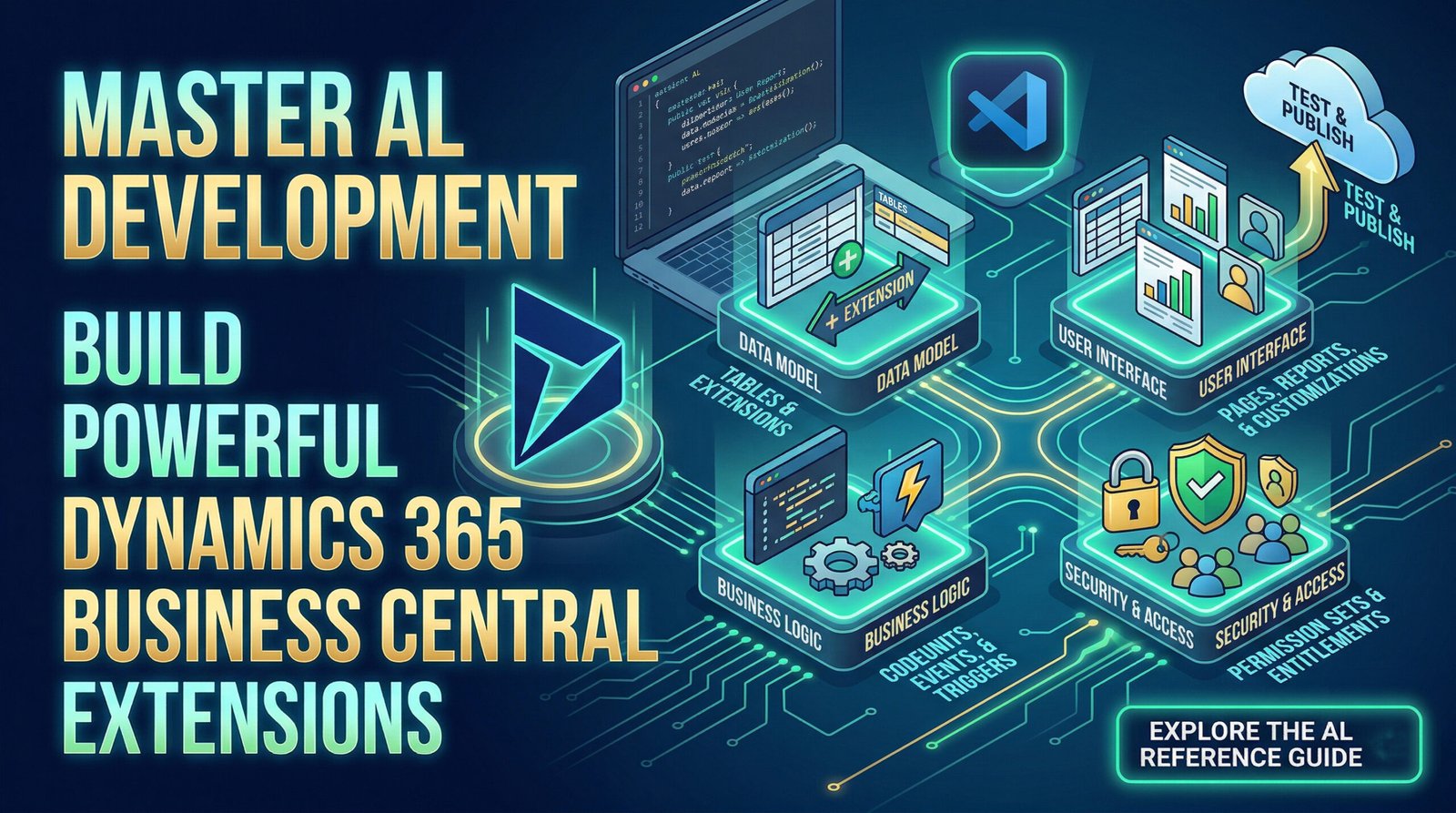
Developing powerful, scalable extensions for Microsoft Dynamics 365 Business Central requires a solid grasp of the AL (Application Language) development environment. Whether you are building your first extension or enhancing existing solutions, understanding the core components of the AL Language is crucial to navigating the architecture of Business Central effectively.
Here is an overview of the fundamental concepts, objects, and tools you will use when developing with AL.
1. Defining the Data Model
The foundation of any Business Central extension is the data model. AL provides robust objects designed to define, store, and manipulate business data efficiently.
-
Table Objects: Use these to define new database tables specifically for your extension.
-
Table Extension Objects: These allow you to modify and add new fields to existing Business Central tables without altering the core database structure, ensuring seamless upgrades.
2. Presenting the Data (User Interface)
Creating an intuitive and efficient user interface is critical for user adoption. AL provides various presentation objects to display data and capture user interactions:
-
Page & Page Extension Objects: Pages form the core UI. You can create brand new pages or extend existing ones to add new fields, actions, or views.
-
Page Customization & Profile Objects: Tailor the experience for specific user roles (Profiles) by customizing layouts and data visibility.
-
Reports & Report Extensions: Build comprehensive analytical or printable reports, or tweak existing base reports to suit specific business needs.
-
XMLPorts & Queries: Design objects specifically for importing/exporting data formats or querying the database efficiently.
3. Writing Business Logic
The real power of AL lies in implementing custom business logic to automate processes and enforce business rules.
-
Codeunits: These are containers for custom AL code. You encapsulate your business logic, functions, and event subscribers within Codeunits to keep your architecture modular and clean.
-
Triggers and Events: AL is heavily event-driven. You use triggers (which execute when a specific action occurs on a record or page) and events to hook your custom code into standard Business Central processes without modifying the base application.
-
Methods and Properties: The environment comes packed with built-in data types, methods, and properties that dictate the behavior of your objects and variables.
4. Controlling Data Access and Security
Security is a critical aspect of any enterprise application. In AL, you define who can see and modify data.
-
Permission Sets & Extensions: You define
permissionsetobjects to bundle access rights (Read, Insert, Modify, Delete, Execute) for specific tables, pages, and codeunits. You can also extend existing permission sets. -
Entitlements: Used to map permissions to specific licensing requirements or Azure Active Directory roles.
Getting Started with Your First Extension
Ready to dive in? Setting up your AL development environment is straightforward:
-
Set up the Environment: Download and install Visual Studio Code, then install the “AL Language extension for Microsoft Dynamics 365 Business Central” from the marketplace.
-
Create a New Project: Use the command palette (
Ctrl+Shift+P) and run theAL:Go!command to initialize a new workspace. -
Connect to a Sandbox: Point your project’s
launch.jsonfile to your Business Central Sandbox environment (cloud or on-premises). -
Build and Publish: Define your tables, pages, and codeunits, and hit
F5to compile, publish, and test your extension directly in the browser.
To dive deeper into specific properties, triggers, and coding best practices, explore the full AL development environment reference on Microsoft Learn.
If you want more updates and daily Blogs like “Can We Delete Posted Documents in Business Central?” click the link below:
link: https://bizcentralorbit.com/can-we-delete-posted-documents-in-business-central/
If you want more Demo and Tutorial videos like “Time & Date Functions in AL Language” on Youtube click the link below:
link: https://www.youtube.com/watch?v=xo9sghalspo
Raise a support ticket instantly by clicking the link below: