
Can We Delete Posted Documents in Business Central?
Yes, we can delete these documents by customization. In Microsoft Dynamics 365 Business Central, posted documents and ledger entries are normally protected and cannot be deleted directly. This behavior is intentional, as Business Central is designed to preserve financial accuracy, audit integrity, and historical transaction data. However, in some business scenarios, organizations may need a controlled way to remove specific posted records through customization.
In this blog, we are discussing a practical requirement where the system needs to delete records from multiple posted and ledger tables, such as G/L Entry, Posted G/L Entry, Posted Sales Invoice, Posted Sales Shipment, Posted Purchase Invoice, Posted Purchase Receipt, Posted Transfer Shipment, and Posted Transfer Receipt. To handle this requirement, we create a setup table with a Deletion Date field. When a user enters a date in this field, the system applies a filter on the related tables and deletes all records up to that selected date.
This approach gives us a controlled and structured way to manage deletion through AL customization, instead of deleting records manually one by one. It also helps developers understand how to build a reusable setup-based solution that can be extended for different posted tables and business rules. We will first design the Codeunit, and once it is ready, we will assign the appropriate permissions to ensure it functions correctly within the system.
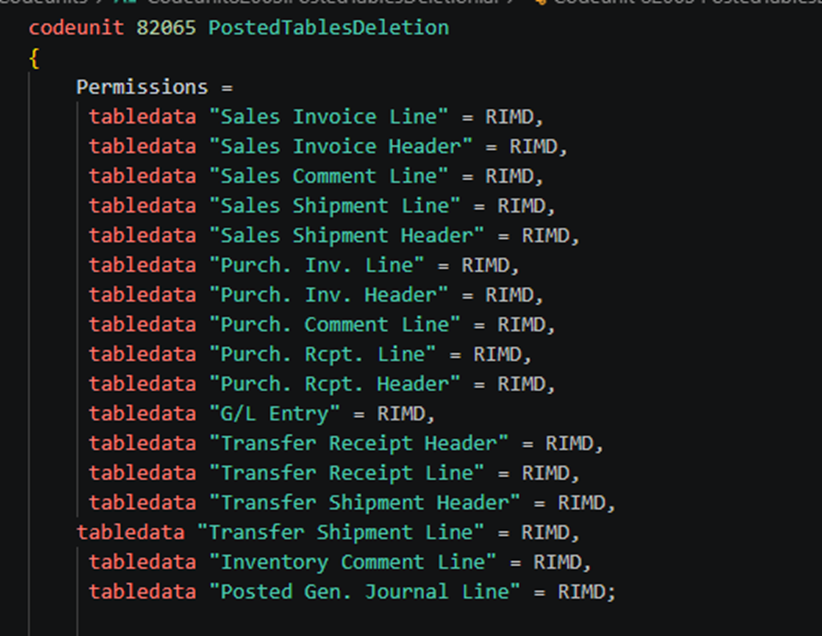
Permissions =
     tabledata "Sales Invoice Line" = RIMD,
     tabledata "Sales Invoice Header" = RIMD,
     tabledata "Sales Comment Line" = RIMD,
     tabledata "Sales Shipment Line" = RIMD,
     tabledata "Sales Shipment Header" = RIMD,
     tabledata "Purch. Inv. Line" = RIMD,
     tabledata "Purch. Inv. Header" = RIMD,
     tabledata "Purch. Comment Line" = RIMD,
     tabledata "Purch. Rcpt. Line" = RIMD,
     tabledata "Purch. Rcpt. Header" = RIMD,
     tabledata "G/L Entry" = RIMD,
     tabledata "Transfer Receipt Header" = RIMD,
     tabledata "Transfer Receipt Line" = RIMD,
     tabledata "Transfer Shipment Header" = RIMD,
    tabledata "Transfer Shipment Line" = RIMD,
     tabledata "Inventory Comment Line" = RIMD,
     tabledata "Posted Gen. Journal Line" = RIMD;
Below are the procedures which we used to delete records in codeunit.
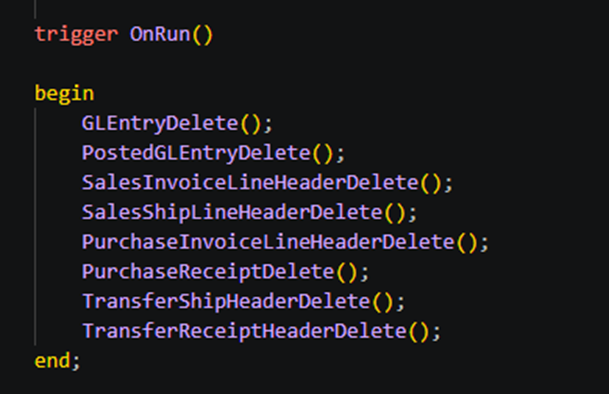
trigger OnRun()

    begin
        GLEntryDelete();
        PostedGLEntryDelete();
        SalesInvoiceLineHeaderDelete();
        SalesShipLineHeaderDelete();
        PurchaseInvoiceLineHeaderDelete();
        PurchaseReceiptDelete();
        TransferShipHeaderDelete();
        TransferReceiptHeaderDelete();
    end;
For G/L Entry Table records deletion –
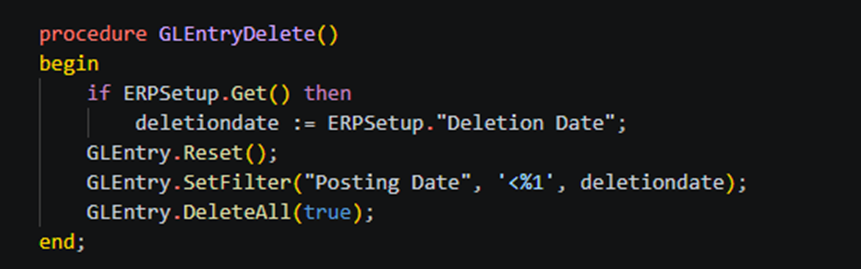
procedure GLEntryDelete()
    begin
        if ERPSetup.Get() then
            deletiondate := ERPSetup."Deletion Date";
        GLEntry.Reset();
        GLEntry.SetFilter("Posting Date", '<%1', deletiondate);
        GLEntry.DeleteAll(true);
    end;
For Deletion of records of Posted G/L entry table.
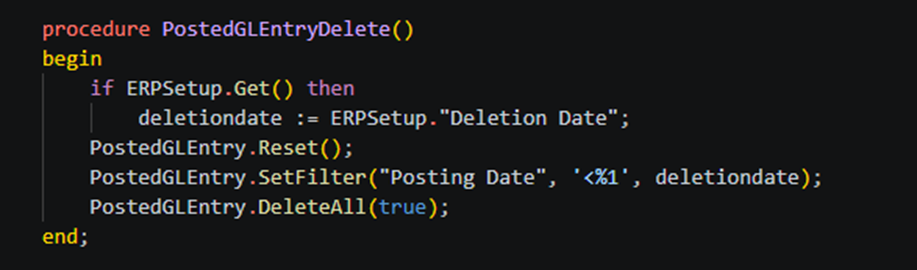
procedure PostedGLEntryDelete()
    begin
        if ERPSetup.Get() then
            deletiondate := ERPSetup."Deletion Date";
        PostedGLEntry.Reset();
        PostedGLEntry.SetFilter("Posting Date", '<%1', deletiondate);
        PostedGLEntry.DeleteAll(true);
    end
For deletion of Posted Sales Invoices table records.
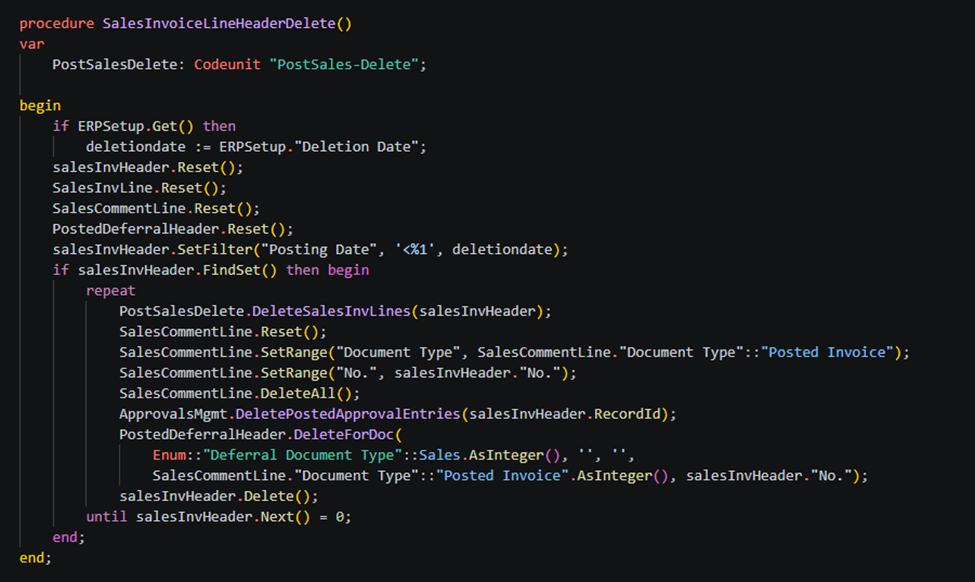
procedure SalesInvoiceLineHeaderDelete()
    var
        PostSalesDelete: Codeunit "PostSales-Delete";

    begin
        if ERPSetup.Get() then
            deletiondate := ERPSetup."Deletion Date";
        salesInvHeader.Reset();
        SalesInvLine.Reset();
        SalesCommentLine.Reset();
        PostedDeferralHeader.Reset();
        salesInvHeader.SetFilter("Posting Date", '<%1', deletiondate);
        if salesInvHeader.FindSet() then begin
            repeat
                PostSalesDelete.DeleteSalesInvLines(salesInvHeader);
                SalesCommentLine.Reset();
                SalesCommentLine.SetRange("Document Type", SalesCommentLine."Document Type"::"Posted Invoice");
                SalesCommentLine.SetRange("No.", salesInvHeader."No.");
                SalesCommentLine.DeleteAll();
                ApprovalsMgmt.DeletePostedApprovalEntries(salesInvHeader.RecordId);
                PostedDeferralHeader.DeleteForDoc(
                    Enum::"Deferral Document Type"::Sales.AsInteger(), '', '',
                    SalesCommentLine."Document Type"::"Posted Invoice".AsInteger(), salesInvHeader."No.");
                salesInvHeader.Delete();
            until salesInvHeader.Next() = 0;
        end;
    end;
For deletion of Posted Sales Shipment table records.
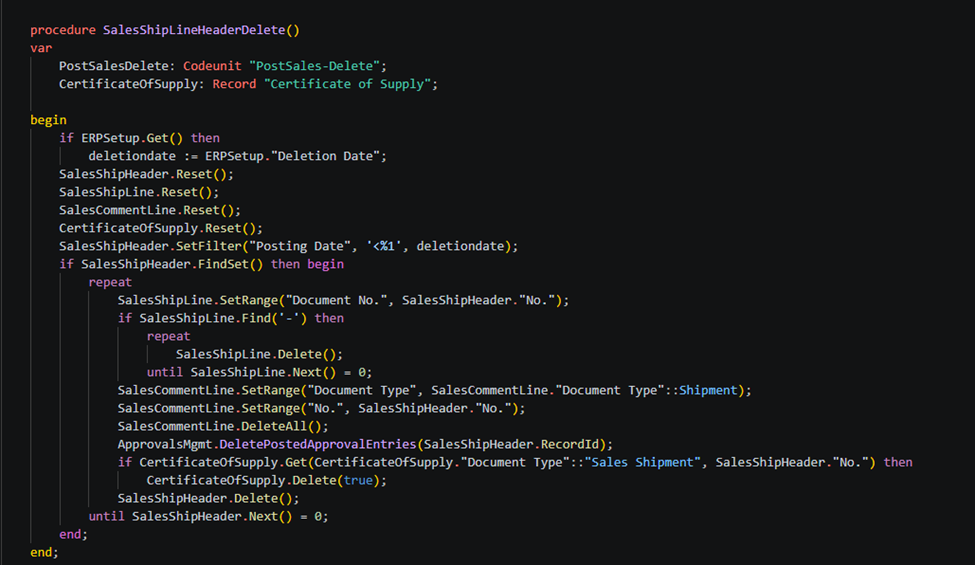
procedure SalesShipLineHeaderDelete()
    var
        PostSalesDelete: Codeunit "PostSales-Delete";
        CertificateOfSupply: Record "Certificate of Supply";

    begin
        if ERPSetup.Get() then
            deletiondate := ERPSetup."Deletion Date";
        SalesShipHeader.Reset();
        SalesShipLine.Reset();
        SalesCommentLine.Reset();
        CertificateOfSupply.Reset();
        SalesShipHeader.SetFilter("Posting Date", '<%1', deletiondate);
        if SalesShipHeader.FindSet() then begin
            repeat
                SalesShipLine.SetRange("Document No.", SalesShipHeader."No.");
                if SalesShipLine.Find('-') then
                    repeat
                        SalesShipLine.Delete();
                    until SalesShipLine.Next() = 0;
                SalesCommentLine.SetRange("Document Type", SalesCommentLine."Document Type"::Shipment);
                SalesCommentLine.SetRange("No.", SalesShipHeader."No.");
                SalesCommentLine.DeleteAll();
                ApprovalsMgmt.DeletePostedApprovalEntries(SalesShipHeader.RecordId);
                if CertificateOfSupply.Get(CertificateOfSupply."Document Type"::"Sales Shipment", SalesShipHeader."No.") then
                    CertificateOfSupply.Delete(true);
                SalesShipHeader.Delete();
            until SalesShipHeader.Next() = 0;
        end;
    end;
For deletion of Posted Purchase Invoice table records.
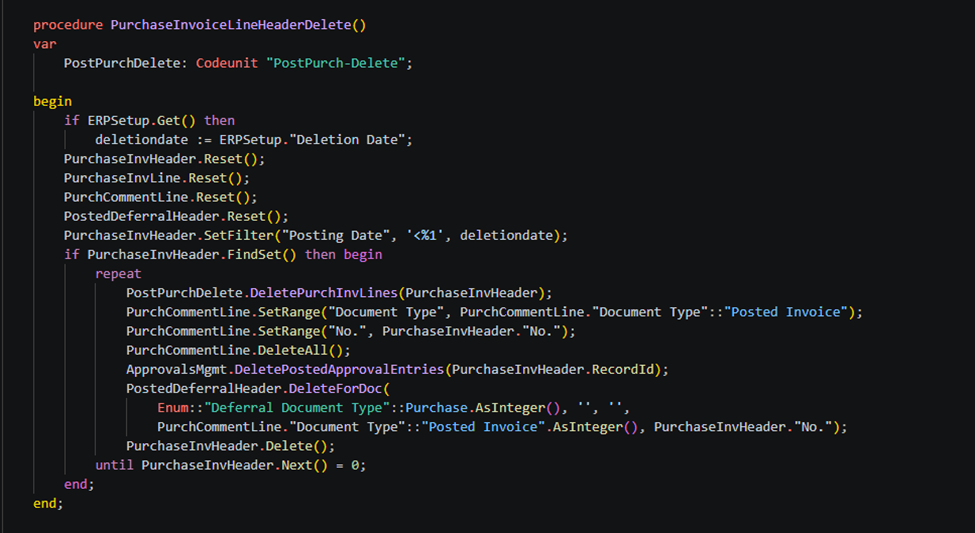
procedure PurchaseInvoiceLineHeaderDelete()
    var
        PostPurchDelete: Codeunit "PostPurch-Delete";

    begin
        if ERPSetup.Get() then
            deletiondate := ERPSetup."Deletion Date";
        PurchaseInvHeader.Reset();
        PurchaseInvLine.Reset();
        PurchCommentLine.Reset();
        PostedDeferralHeader.Reset();
        PurchaseInvHeader.SetFilter("Posting Date", '<%1', deletiondate);
        if PurchaseInvHeader.FindSet() then begin
            repeat
                PostPurchDelete.DeletePurchInvLines(PurchaseInvHeader);
                PurchCommentLine.SetRange("Document Type", PurchCommentLine."Document Type"::"Posted Invoice");
                PurchCommentLine.SetRange("No.", PurchaseInvHeader."No.");
                PurchCommentLine.DeleteAll();
                ApprovalsMgmt.DeletePostedApprovalEntries(PurchaseInvHeader.RecordId);
                PostedDeferralHeader.DeleteForDoc(
                    Enum::"Deferral Document Type"::Purchase.AsInteger(), '', '',
                    PurchCommentLine."Document Type"::"Posted Invoice".AsInteger(), PurchaseInvHeader."No.");
                PurchaseInvHeader.Delete();
            until PurchaseInvHeader.Next() = 0;
        end;
    end;
For deletion of Posted Purchase Receipt table records.
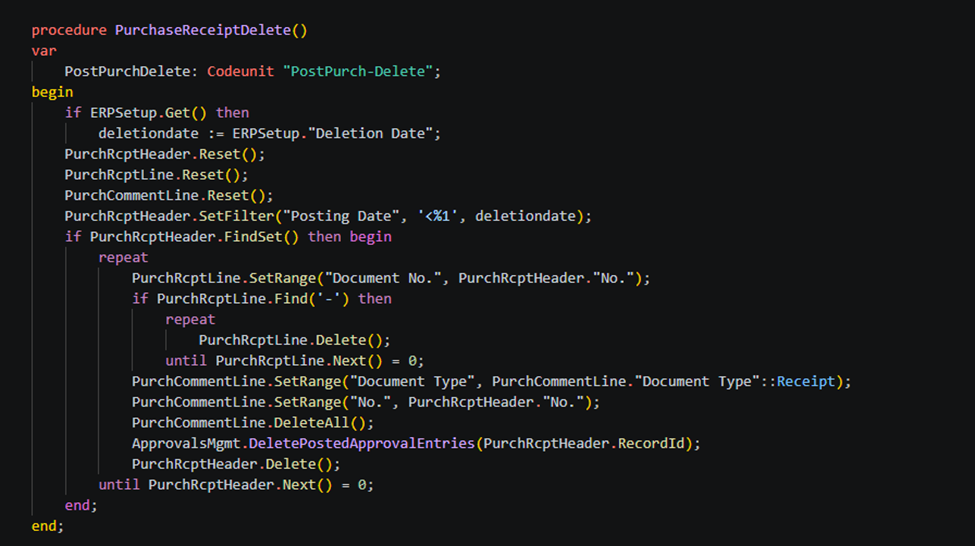
procedure PurchaseReceiptDelete()
    var
        PostPurchDelete: Codeunit "PostPurch-Delete";
    begin
        if ERPSetup.Get() then
            deletiondate := ERPSetup."Deletion Date";
        PurchRcptHeader.Reset();
        PurchRcptLine.Reset();
        PurchCommentLine.Reset();
        PurchRcptHeader.SetFilter("Posting Date", '<%1', deletiondate);
        if PurchRcptHeader.FindSet() then begin
            repeat
                PurchRcptLine.SetRange("Document No.", PurchRcptHeader."No.");
                if PurchRcptLine.Find('-') then
                    repeat
                        PurchRcptLine.Delete();
                    until PurchRcptLine.Next() = 0;
                PurchCommentLine.SetRange("Document Type", PurchCommentLine."Document Type"::Receipt);
                PurchCommentLine.SetRange("No.", PurchRcptHeader."No.");
                PurchCommentLine.DeleteAll();
                ApprovalsMgmt.DeletePostedApprovalEntries(PurchRcptHeader.RecordId);
                PurchRcptHeader.Delete();
            until PurchRcptHeader.Next() = 0;
        end;
    end;
For deletion of Posted Transfer Shipment table records –
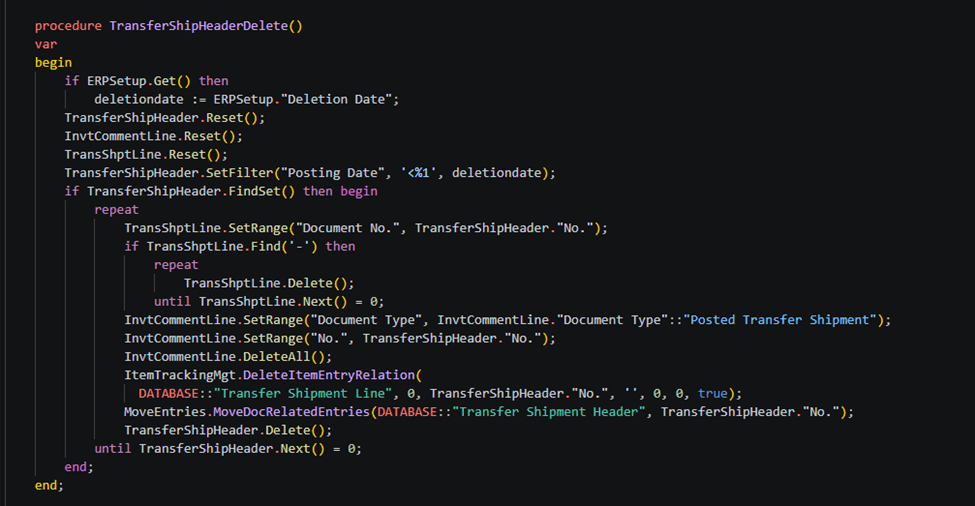
procedure TransferShipHeaderDelete()
    var
    begin
        if ERPSetup.Get() then
            deletiondate := ERPSetup."Deletion Date";
        TransferShipHeader.Reset();
        InvtCommentLine.Reset();
        TransShptLine.Reset();
        TransferShipHeader.SetFilter("Posting Date", '<%1', deletiondate);
        if TransferShipHeader.FindSet() then begin
            repeat
                TransShptLine.SetRange("Document No.", TransferShipHeader."No.");
                if TransShptLine.Find('-') then
                    repeat
                        TransShptLine.Delete();
                    until TransShptLine.Next() = 0;
                InvtCommentLine.SetRange("Document Type", InvtCommentLine."Document Type"::"Posted Transfer Shipment");
                InvtCommentLine.SetRange("No.", TransferShipHeader."No.");
                InvtCommentLine.DeleteAll();
                ItemTrackingMgt.DeleteItemEntryRelation(
                  DATABASE::"Transfer Shipment Line", 0, TransferShipHeader."No.", '', 0, 0, true);
                MoveEntries.MoveDocRelatedEntries(DATABASE::"Transfer Shipment Header", TransferShipHeader."No.");
                TransferShipHeader.Delete();
            until TransferShipHeader.Next() = 0;
        end;
    end;
For deletion of posted transfer receipt table records.
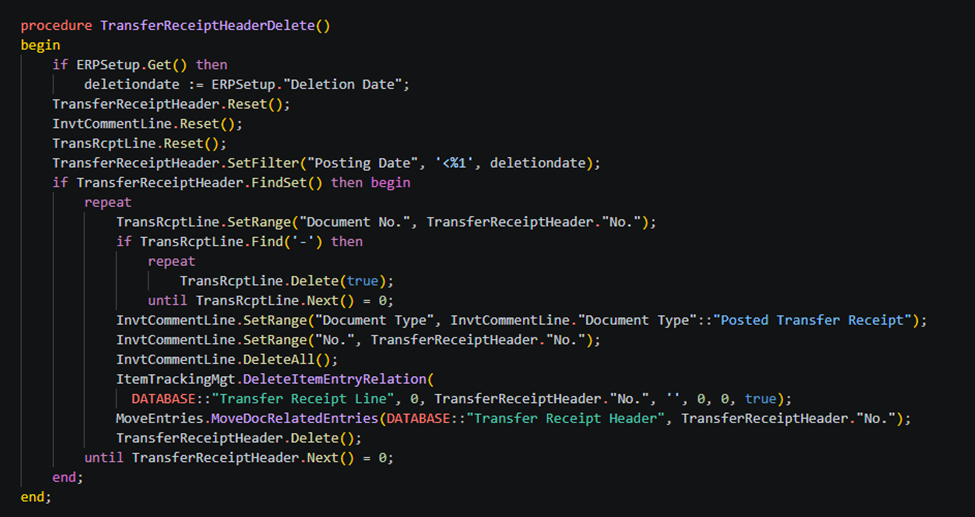
procedure TransferReceiptHeaderDelete()
    begin
        if ERPSetup.Get() then
            deletiondate := ERPSetup."Deletion Date";
        TransferReceiptHeader.Reset();
        InvtCommentLine.Reset();
        TransRcptLine.Reset();
        TransferReceiptHeader.SetFilter("Posting Date", '<%1', deletiondate);
        if TransferReceiptHeader.FindSet() then begin
            repeat
                TransRcptLine.SetRange("Document No.", TransferReceiptHeader."No.");
                if TransRcptLine.Find('-') then
                    repeat
                        TransRcptLine.Delete(true);
                    until TransRcptLine.Next() = 0;
                InvtCommentLine.SetRange("Document Type", InvtCommentLine."Document Type"::"Posted Transfer Receipt");
                InvtCommentLine.SetRange("No.", TransferReceiptHeader."No.");
                InvtCommentLine.DeleteAll();
                ItemTrackingMgt.DeleteItemEntryRelation(
                  DATABASE::"Transfer Receipt Line", 0, TransferReceiptHeader."No.", '', 0, 0, true);
                MoveEntries.MoveDocRelatedEntries(DATABASE::"Transfer Receipt Header", TransferReceiptHeader."No.");
                TransferReceiptHeader.Delete();
            until TransferReceiptHeader.Next() = 0;
        end;
    end;
Global variable used in all above code –
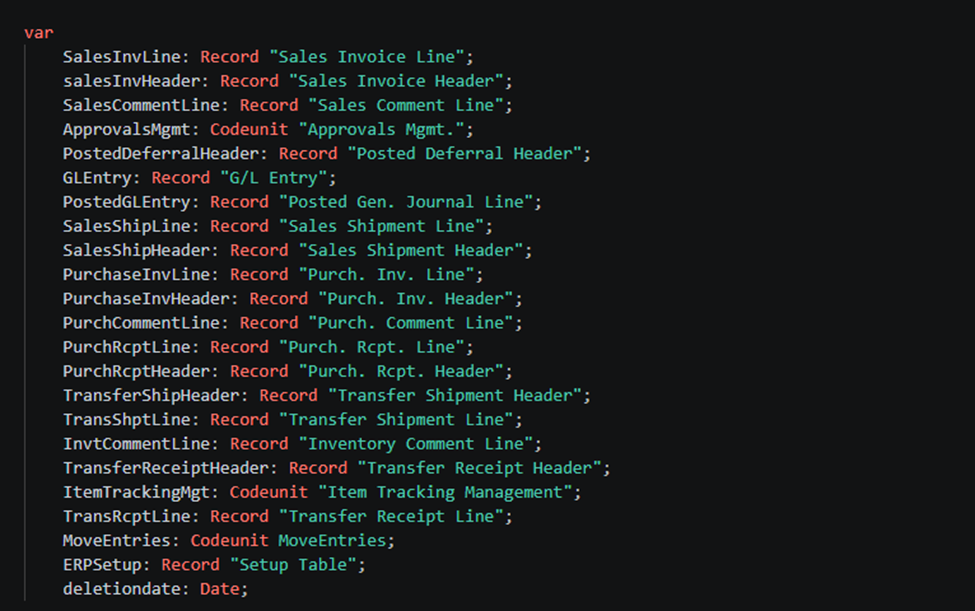
var
        SalesInvLine: Record "Sales Invoice Line";
        salesInvHeader: Record "Sales Invoice Header";
        SalesCommentLine: Record "Sales Comment Line";
        ApprovalsMgmt: Codeunit "Approvals Mgmt.";
        PostedDeferralHeader: Record "Posted Deferral Header";
        GLEntry: Record "G/L Entry";
        PostedGLEntry: Record "Posted Gen. Journal Line";
        SalesShipLine: Record "Sales Shipment Line";
        SalesShipHeader: Record "Sales Shipment Header";
        PurchaseInvLine: Record "Purch. Inv. Line";
        PurchaseInvHeader: Record "Purch. Inv. Header";
        PurchCommentLine: Record "Purch. Comment Line";
        PurchRcptLine: Record "Purch. Rcpt. Line";
        PurchRcptHeader: Record "Purch. Rcpt. Header";
        TransferShipHeader: Record "Transfer Shipment Header";
        TransShptLine: Record "Transfer Shipment Line";
        InvtCommentLine: Record "Inventory Comment Line";
        TransferReceiptHeader: Record "Transfer Receipt Header";
        ItemTrackingMgt: Codeunit "Item Tracking Management";
        TransRcptLine: Record "Transfer Receipt Line";
        MoveEntries: Codeunit MoveEntries;
        ERPSetup: Record "Setup Table";
        deletiondate: Date;
To get more such useful information, please follow our LinkedIn page and you can also subscribe our you tube page.
YouTube Link: https://www.youtube.com/@bizcentralorbit
LinkedIn Link: https://www.linkedin.com/company/bizcentralorbit/posts/?feedView=all
If you want to book a 1-to-1 live session with any of our expert consultants then click the link: https://bizcentralorbit.com/#One-to
If you want to read next blog “How to Allow Posted Document Modification in Microsoft Dynamics 365 Business Central” then click the link: https://bizcentralorbit.com/how-to-allow-posted-document-modification-in-microsoft-dynamics-365-business-central/
If you want a Tutorial videos of “Customer Card – Business Central” then click the link: https://www.youtube.com/watch?v=SEls0uKWsdk&list=PLh-SKFWO2XjLyj_s55NfeKP_XBoQ1hWR7
Raise a support ticket instantly by clicking the link: https://bizcentralorbit.com/contact-us/
Straightforward and informative great for getting started with reports.
Helpful post, keep sharing more like this
This blog adds real clarity to a tricky Dynamics feature.
This is a really well-explained post super helpful for understanding Dynamics concepts.
The screenshots and explanation make the process much easier to understand.
Great content with a strong real-world perspective.
This actually helped me fix an issue I was facing.
Nice breakdown of Security Copilot capabilities and benefits
Nice overview of Security Copilot integration
King98 is where the high rollers play! If you’re looking for a premium experience, this is it. Treat yourself like royalty! king98
MX37, another one of those sites. Nothing really stands out, but also nothing really wrong with it. If you are looking for something simple this is it! More information is on mx37
Downloaded the Wazambaapp the other day and gotta say, it’s alright. The interface is pretty smooth and the games load quickly. Feels much smoother than other casino apps I’ve tried. Worth a look if you’re into mobile gaming! Find it at wazambaapp.
https://continent-telecom.com
Everything about this site is professional. From the layout to the rewards, iny999 really knows how to treat its players.
cheap car rental amman airport
This place has a great vibe and the payouts are consistently fast. I appreciate the transparency and the easy registration process. phbtbjili
Best spot for anyone looking for exciting gameplay and good rewards. The community here is great and the vibes are always positive. planet888
https://continent-telecom.com
virtual sms number south africa
Duly topic
Such a refreshing experience. The games are diverse and the rewards are actually attainable. I’m spending way too much time on br888game33 lately
Really impressed with the customer support team. They answered my questions almost instantly. It makes a huge difference when using bdj7774.
Super easy to get started and the app runs like a dream. Everything is just where it should be. I’m sticking with superlgregisterloginapp.