
Tech Deep Dive: Crucial Updates Spreading Across the Business Central Community (v28.1)
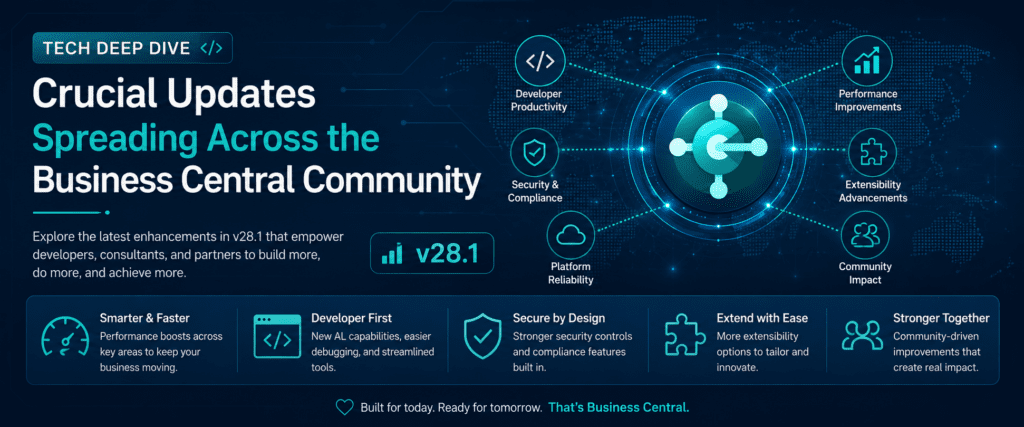
The Dynamics 365 Business Central global technical community has been buzzing this week following the release of the May 2026 Cumulative Updates (v28.1). Leading Microsoft MVPs, community leaders, and official engineering channels are currently highlighting a series of foundational platform shifts that directly impact how developers structure environments and how businesses handle complex financial errors.
If you want to keep your technical audience informed about the exact tools and updates being tested by experts right now, here is the breakdown of the next biggest trending announcements.
1. The Disappearance of New Workflow Templates in Upgraded Environments
A major talking point across community forums this week involves environment upgrades from older versions to the latest v28 architecture:
-
The Problem: Microsoft recently introduced highly anticipated native Workflow Templates for Item Journals and Requisition Worksheets to enforce security and transaction approvals. However, technical experts have discovered that when an existing production environment is automatically upgraded, these newly added templates are completely missing out-of-the-box.
-
The Solution Explained: The community feeds have highlighted a critical administrative workaround. System administrators must navigate to the Workflow Templates page and manually run the “Reset Microsoft Templates” action. This forces the platform to refresh its underlying template registry database, exposing the hidden workflow structures without requiring a custom developer deployment.
2. Enhanced Transparency: Full Country/Region Names in Admin Workspace
For global Microsoft partners and IT consultants who manage multi-tenant environments across the globe, a subtle but highly appreciated user interface update has gone live in the Admin Center:
-
Previously, when spinning up a new sandbox or localization testing instance, the platform only displayed short, ambiguous technical country codes.
-
To eliminate deployment errors and speed up environment configuration, Microsoft now displays the Full Name of the Country or Region directly within the creation wizard interface, creating a much cleaner operational experience for deployment teams.
3. Permission Inversion Overhaul for Canceled Sales Documents
An essential financial data integrity update has been spotlighted by core platform developers regarding automated credit memos:
-
The Logic Shift: When a user cancels a posted sales invoice, the system automatically generates a corrective credit memo line. In previous patch iterations, if the underlying lines were tied to complex Job Planning Lines, the platform would occasionally default the status back to ‘billable’ automatically—creating accounting discrepancies.
-
The Fix: The latest minor update enforces an structural permission layer that preserves the exact historical origin of the canceled document lines. This prevents human oversight from accidentally double-billing an enterprise client during major ledger reversals.
4. Advanced XML and Schema Trace Triggers for E-Documents
As global e-invoicing laws become mandatory across multiple European and Asian markets, the underlying E-Document Core Application Framework has received an under-the-hood optimization:
-
Developers utilizing built-in codeunit interfaces can now inject specialized Schema Trace Triggers into custom AL extensions.
-
This allows system integrators to catch formatting mismatches, missing tax data fields, or incorrect structural tags before the encrypted data package is transmitted to government tax portals, reducing compliance communication failures drastically.
Conclusion
The latest technical waves pulsing through the expert network emphasize that successful ERP management relies heavily on micro-level adjustments. By addressing upgrade workflow template bugs, clarifying global environment names, and tightening the data streams behind document cancellations, Microsoft and its active community are ensuring that the 2026 release environment remains exceptionally stable and audit-proof.
Official Resource & Community Feed: For live announcements, community discussions, and deep-dive technical documentation on these features, you can follow the official channel here:https://yzhums.com/72933/
To get more such useful information, please follow our LinkedIn page and you can also subscribe our you tube page.
YouTube Link: https://www.youtube.com/@bizcentralorbit
LinkedIn Link: https://www.linkedin.com/company/bizcentralorbit/posts/?feedView=all
If you want more updates and daily Blogs like “Can We Delete Posted Documents in Business Central?” click the link: https://bizcentralorbit.com/can-we-delete-posted-documents-in-business-central/
If you want more Demo and Tutorial videos like “Environment Transfers in Business Central” on Youtube click the link: https://youtu.be/K0wq7UPivTs?si=RPyoew4M0LYMzbnH
Raise a support ticket instantly by clicking the link: https://bizcentralorbit.com/contact-us/
Want to analyze any requirement and collaborate? Let’s work together to deliver the best solution! Please submit the details here: https://bizcentralorbit.com/bc-consultants/
The graphics are stunning and the gameplay is very fair. I had a huge win last night and the withdrawal was instant. Visit 777richjililogin now.
Had a blast playing here last night. The selection of games is massive and the rewards are genuinely exciting. Visit phokplaycasinologin for a great time.
Really impressed with the game variety here. I had a great run last weekend and the support team was super helpful. Highly recommend 888win58com to anyone looking for action.
Just what I was looking for in a gaming site. Simple registration and the luck seems to be on my side here. Big thumbs up for 777asgame.